One installation can keep the accounts of many businesses (companies). The first time the list is empty.
👆 Click a number to see the field
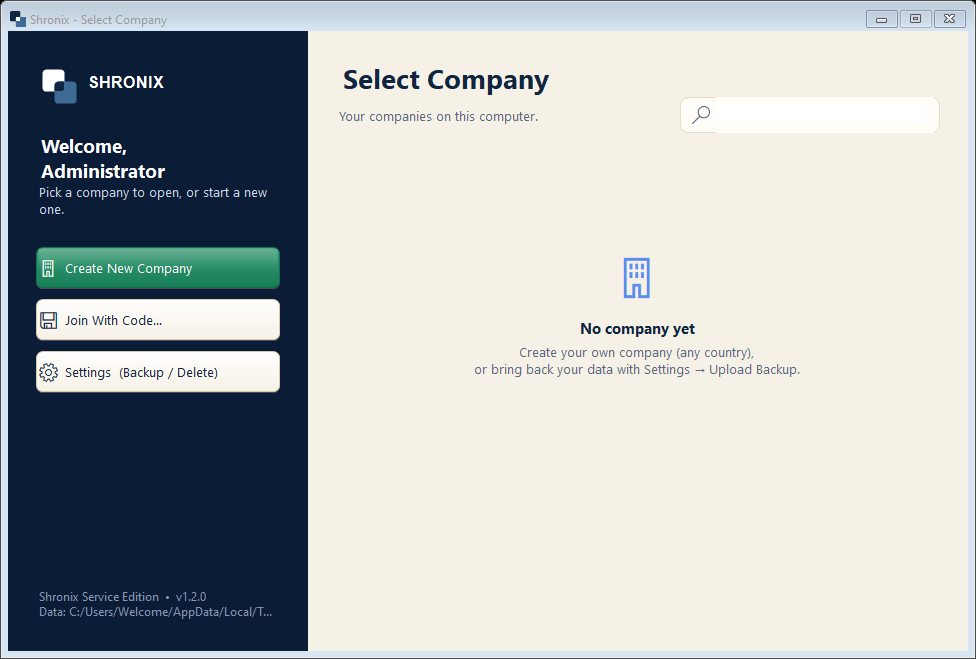
1
Create New Company
What to enter: Click to create your business.
Why: Every business gets its own separate books, stock and bills.
2
Join With Code…
What to enter: Use only on a second computer of the same business.
Why: Joins the company that already runs on your main computer (the code is shown there).
3
Settings (Backup / Delete)
What to enter: Upload Backup brings back data from your old computer.
Why: Moving to a new computer? Take a backup on the old one and upload it here.