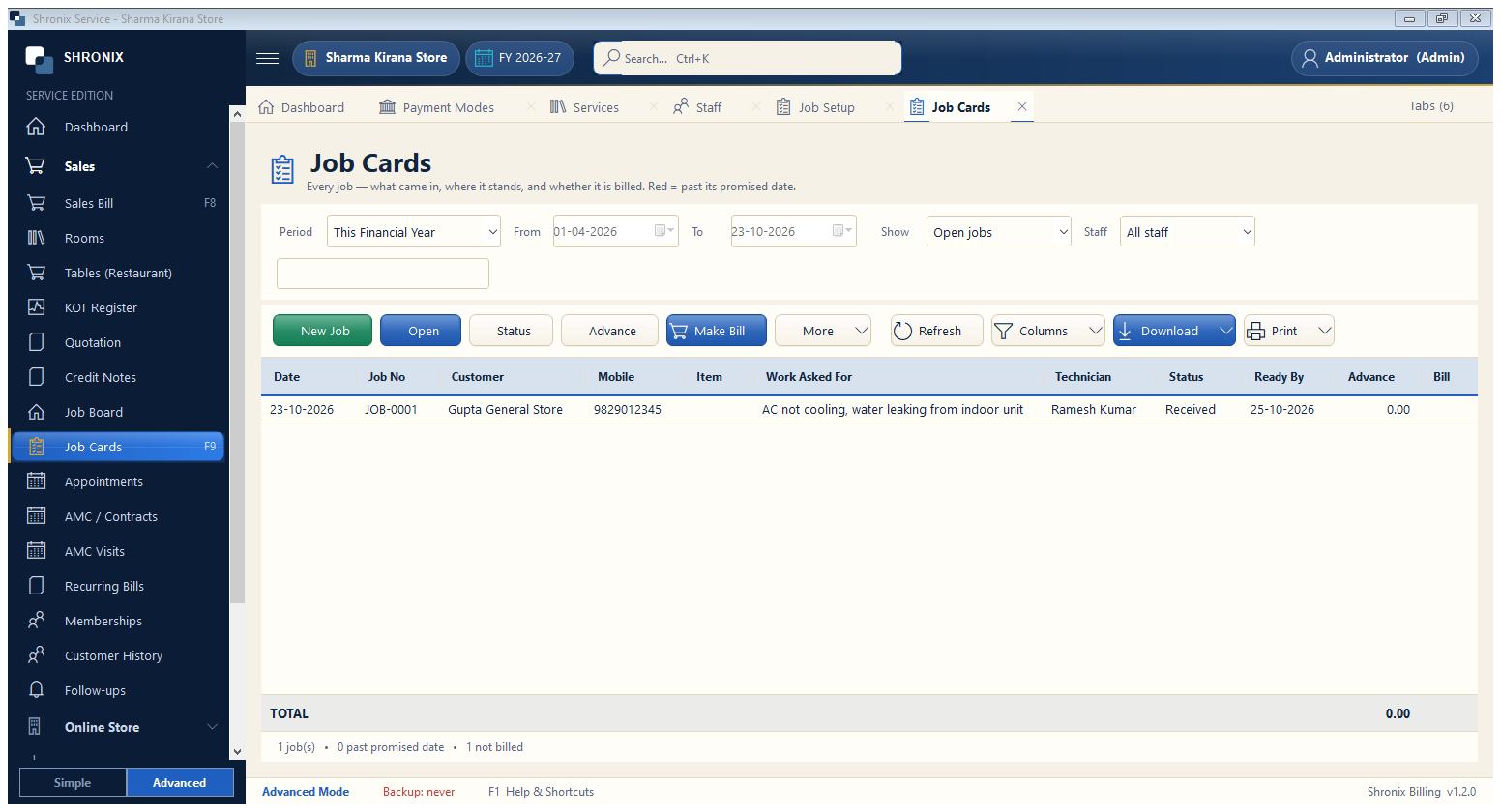
Services → Job Cards. Every job with its status, promised date and amount.
👆 Click a number to see the field
1
New Job / Open
What to enter: Make a new job or open the selected one.
Why:
2
Status
What to enter: Move the selected job to the next step.
Why: The customer gets a WhatsApp update.
Example:
Ready for Delivery3
Advance
What to enter: Take an advance payment on the job.
Why: It is adjusted in the final bill.
Example:
₹5004
Make Bill
What to enter: Turn the finished job into a bill in one click.
Why: Services and parts come into the bill by themselves.
5
Period, show and staff
What to enter: Filter by dates, open / delivered jobs or technician.
Why: