Services → Appointments. Day view of bookings for each staff member, plus today's walk-in queue.
👆 Click a number to see the field
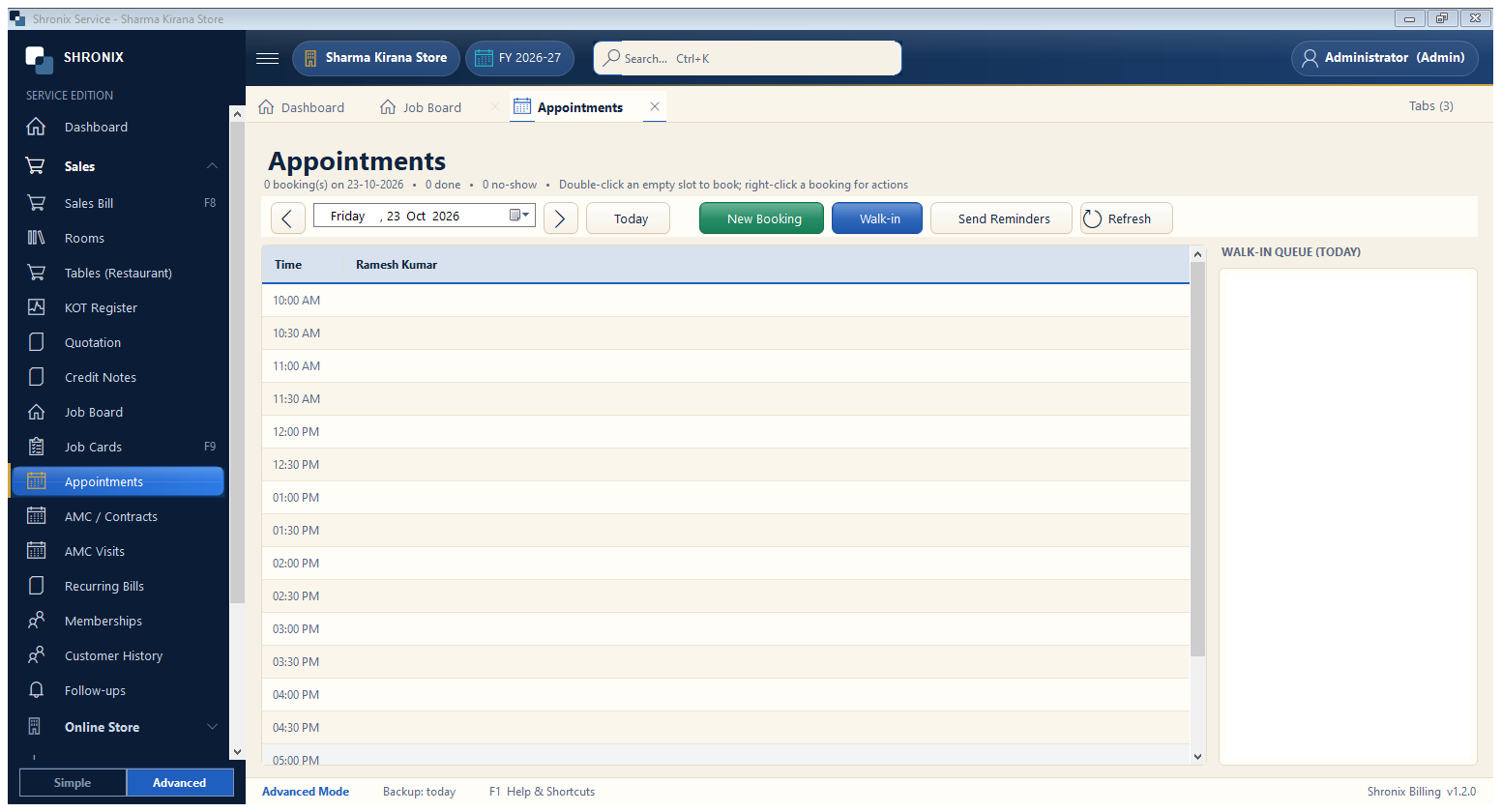
1
Day
What to enter: Move between days.
Why:
2
New Booking
What to enter: Book a time slot for a customer.
Why: Next step shows the booking form.
3
Walk-in
What to enter: Add a customer who came without a booking — gets a token number.
Why:
Example:
Token 54
Send Reminders
What to enter: Send WhatsApp reminders to tomorrow's bookings.
Why: Fewer no-shows.
5
Walk-in queue
What to enter: Today's walk-ins in order.
Why: