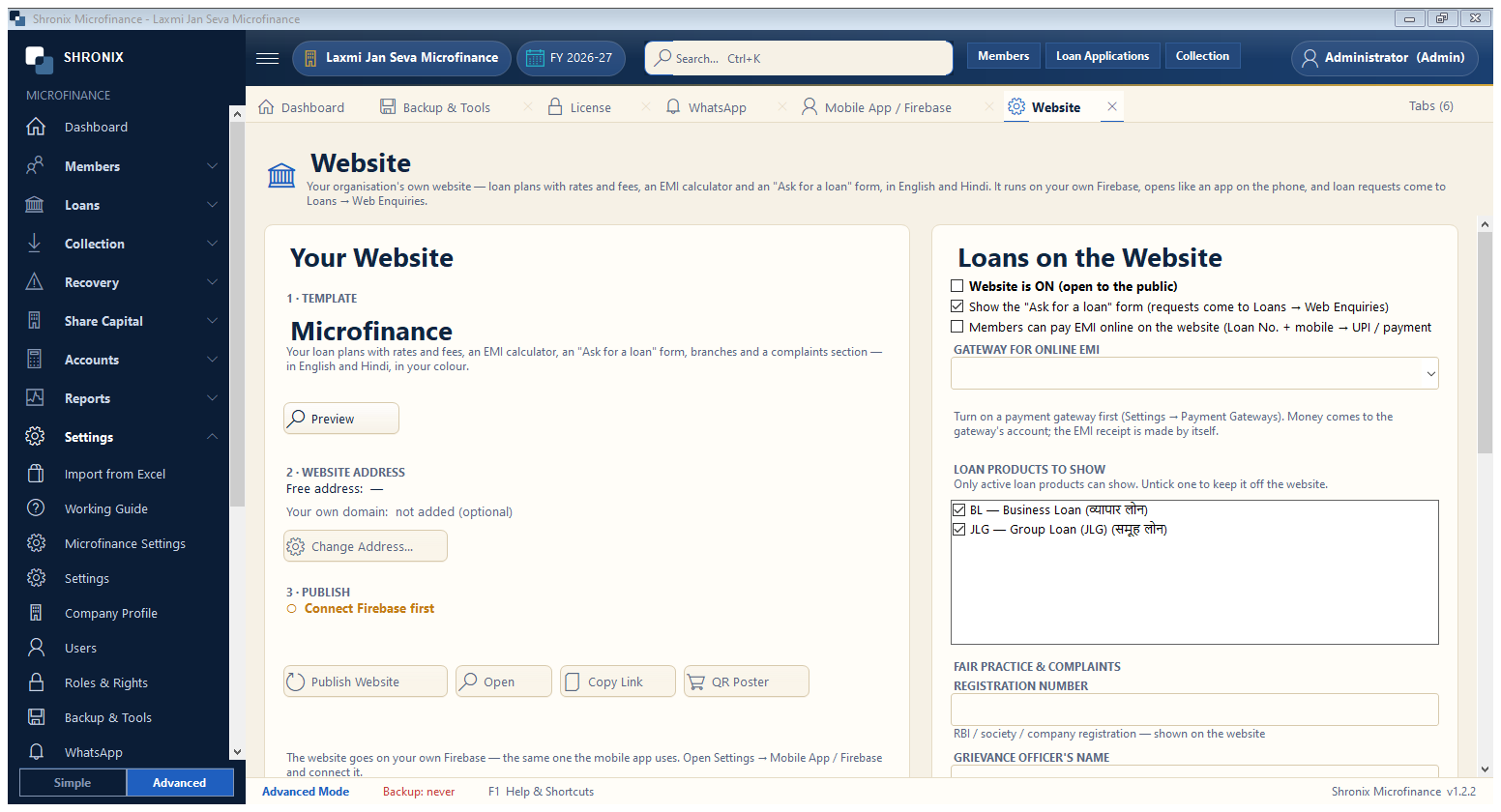
Settings → Website. Your own website with loan plans, EMI calculator, branches and an online loan-request form; members can also pay EMI online. When it is live, print a QR poster for your office.
👆 Click a number to see the field
1
Template
What to enter: Click Preview to see the design.
Why:
Example:
Microfinance2
Website address
What to enter: Free address, or your own domain.
Why: Share this link with members.
3
Publish Website
What to enter: Publish (needs Firebase connected first).
Why: Loan plans, rates and branches update by themselves.
4
QR Poster
What to enter: Print a poster with a QR of your website (A4, A5, A6 stand) or share it on WhatsApp (square post, status).
Why: Members scan it and your website opens.
5
Loans on the website
What to enter: Choose the loan products to show, the online EMI gateway and your fair-practice details.
Why: