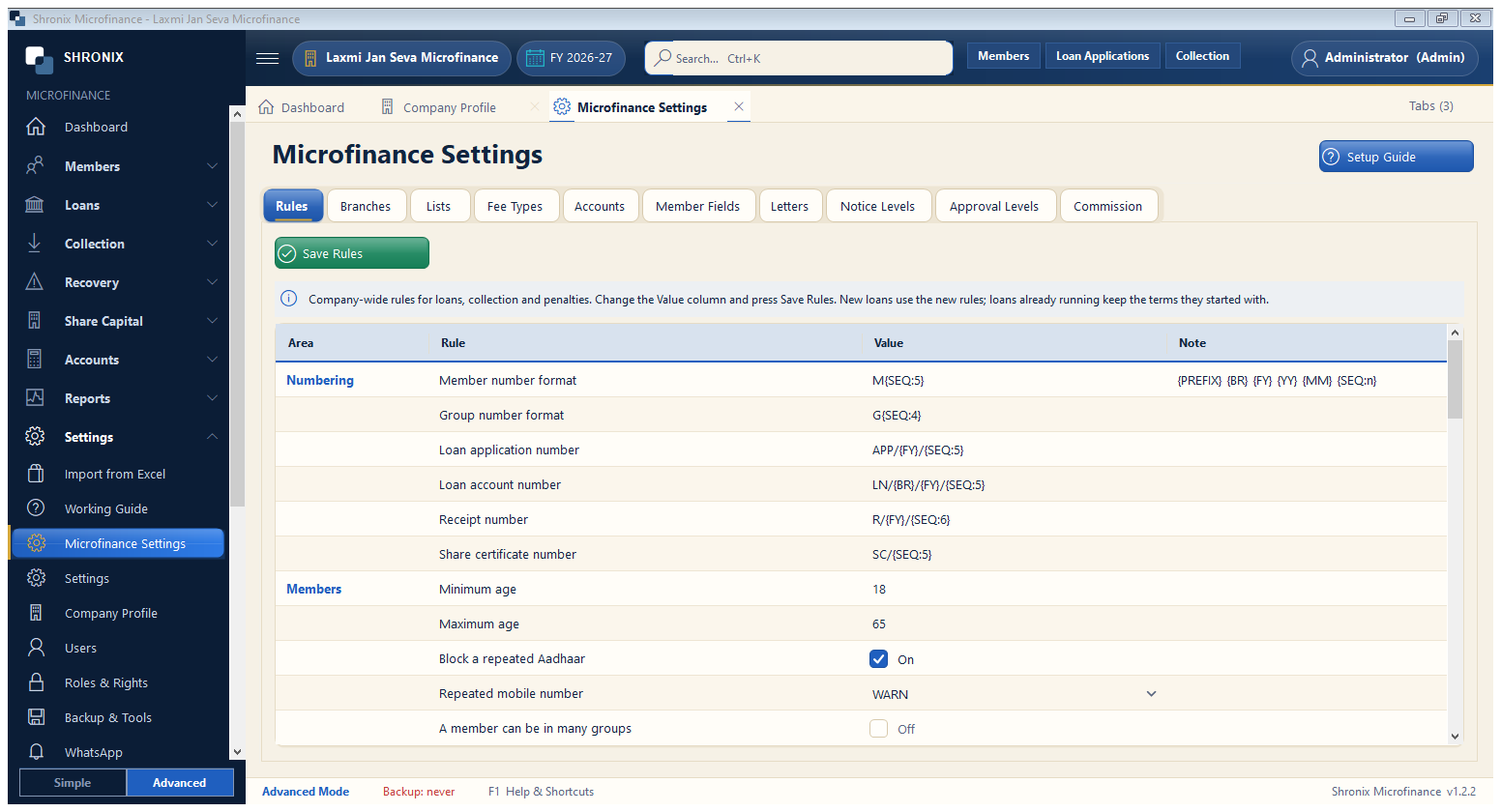
Settings → Microfinance Settings. One place for your rules: numbering, member rules, branches, fee types, penalty levels, approval levels, letters and agent commission. The tabs at the top open each part.
- Rules: member number format, minimum / maximum age, block repeated Aadhaar or mobile, how many loans a member can have.
- Branches: add each branch; members, loans and agents belong to a branch.
- Fee Types: processing fee, insurance, documentation — with GST if needed.
- Penalty Levels and Approval Levels: late-payment penalty and who can approve how much.
- Press Save Rules after changes on each tab.
👆 Click a number to see the field
1
Tabs
What to enter: Rules, Branches, Lists, Fee Types, Accounts, Member Fields, Letters, Penalty Levels, Approval Levels, Commission.
Why: Each tab is one part of your lending policy.
2
Save Rules
What to enter: Click after changing a tab.
Why: New rules apply to new loans and receipts.
3
Setup Guide
What to enter: Opens a step-by-step checklist inside the software.
Why: Shows what is still left to set up.