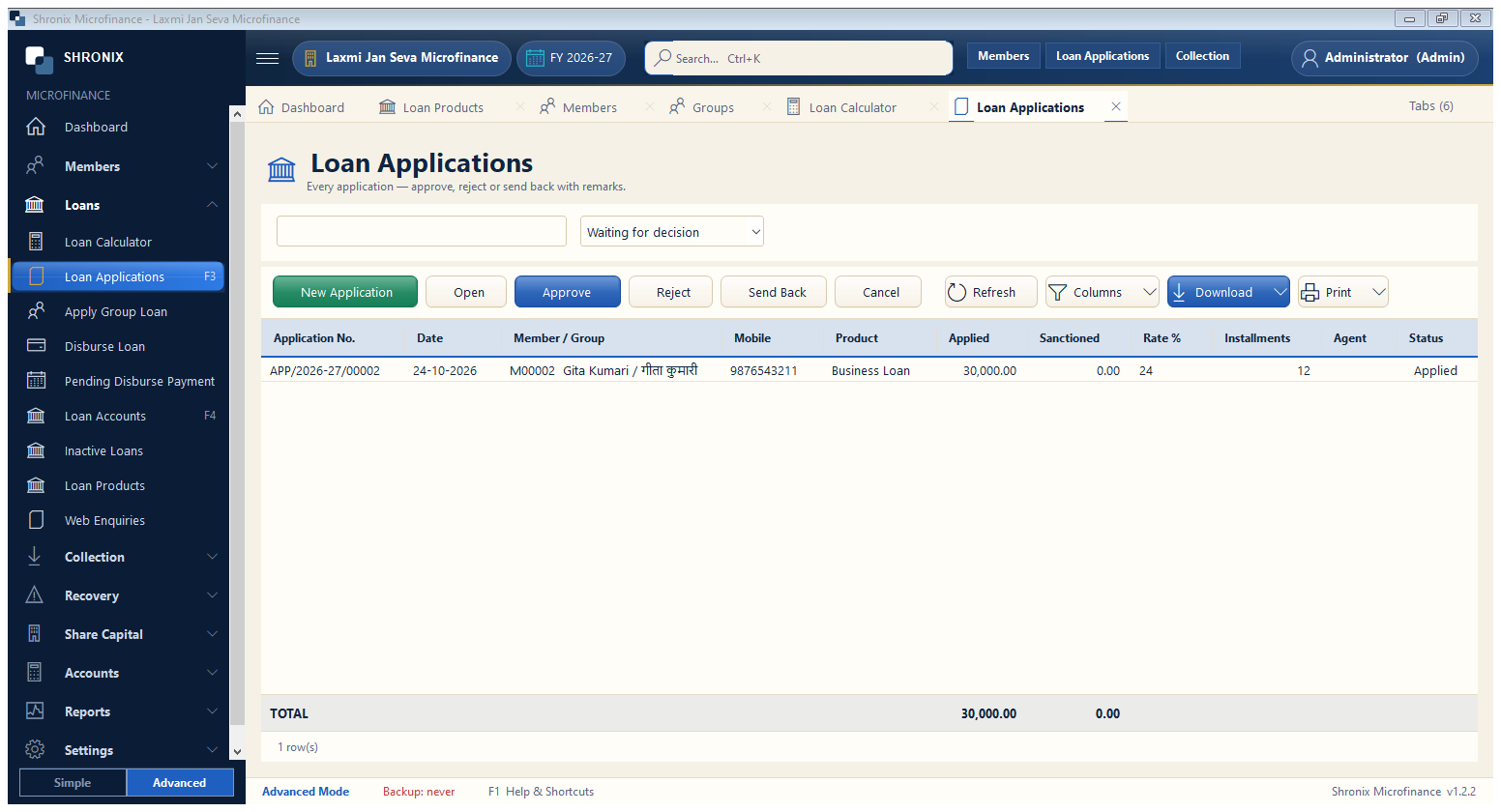
Loans → Loan Applications. All applications waiting for a decision. The approver can approve a smaller amount, send it back for correction or reject it.
👆 Click a number to see the field
1
New Application
What to enter: Start a new application.
Why:
2
Approve
What to enter: Approve the selected application (amount can be reduced).
Why: Only users with the approval right see this.
Example:
30,0003
Reject / Send Back
What to enter: Reject with a reason, or send back for correction.
Why: The maker sees the reason.