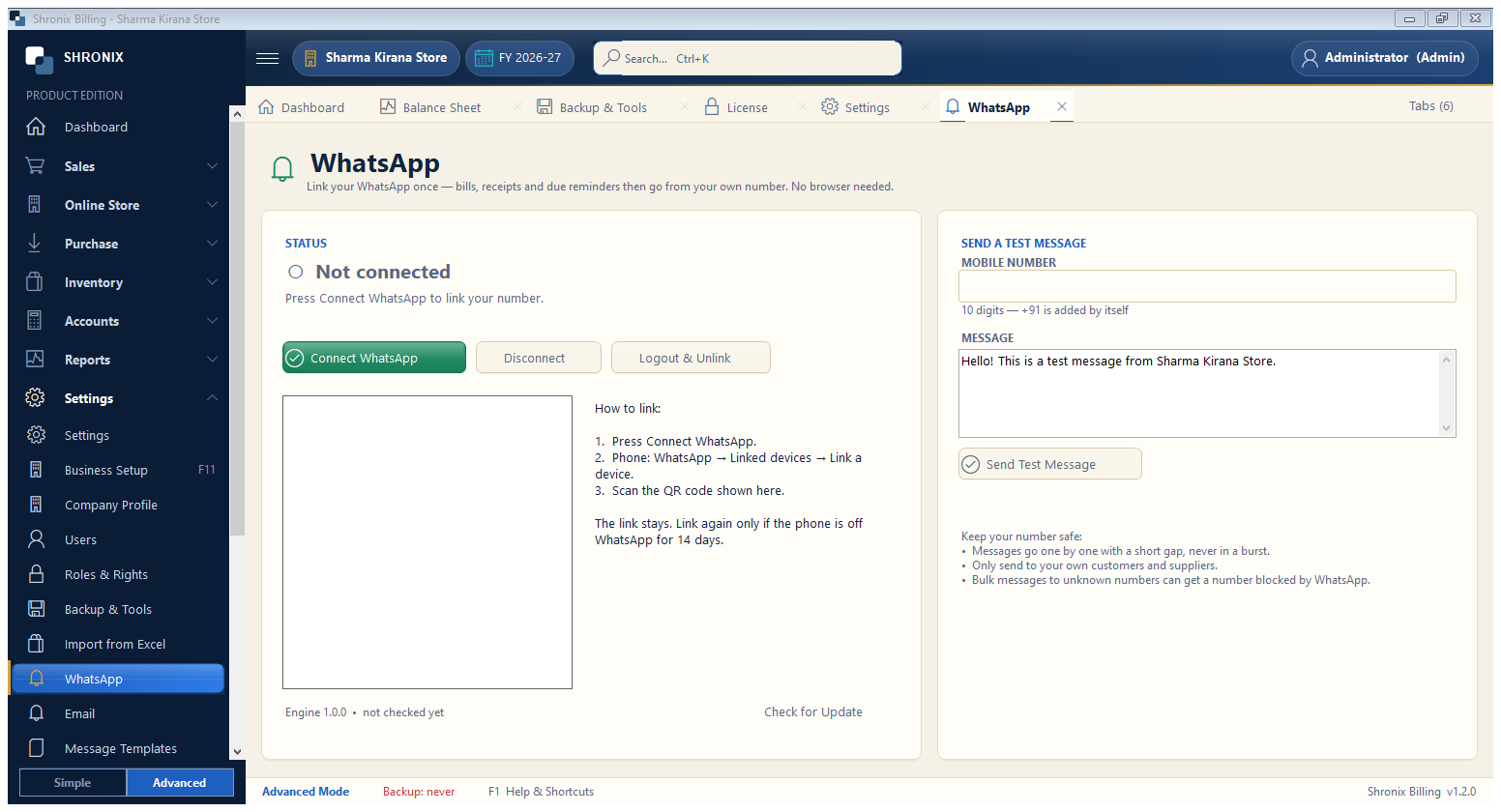
Settings → WhatsApp. Link your WhatsApp once; then bills, receipts and due reminders can be sent from the software.
👆 Click a number to see the field
1
Connect WhatsApp
What to enter: Click and scan the QR code with your phone (WhatsApp → Linked devices).
Why: The software sends messages from your own number.
2
Send a test message
What to enter: Type a mobile number and message, then Send Test Message.
Why: Check that linking works.
Example:
98765 432103
Keep your number safe
What to enter: Read the tips — send only to customers who know you.
Why: Avoids WhatsApp blocking your number.