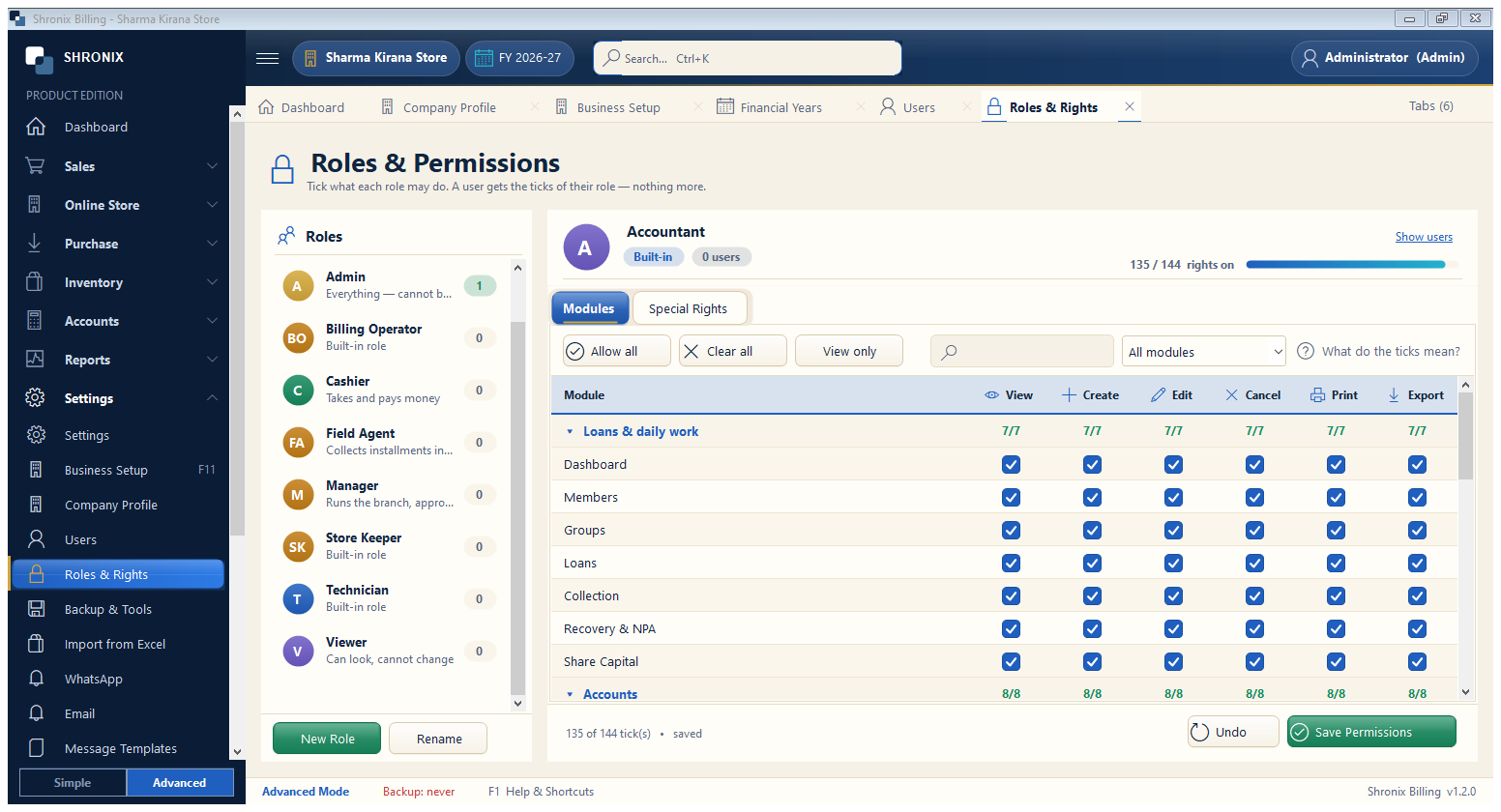
Settings → Roles & Rights. A role is a set of ticks (view, create, edit, cancel, print, export) for every screen, plus limits like maximum discount.
👆 Click a number to see the field
1
Roles list
What to enter: Pick a role on the left (Admin, Accountant, Billing Operator, Viewer…).
Why: Changes apply to every user who has this role.
Example:
Billing Operator2
Quick buttons
What to enter: Allow all / Clear all / View only set every tick at once.
Why: Start from one of these, then fine-tune.
3
What do the ticks mean?
What to enter: Click for a short help.
Why: Explains view, create, edit, cancel, print and export.
4
New Role / Rename
What to enter: Create your own role (for example “Counter Staff”).
Why: Built-in roles cannot be deleted.
Example:
Counter Staff5
Save Permissions
What to enter: Click after changing ticks.
Why: Rights apply at the user's next action.