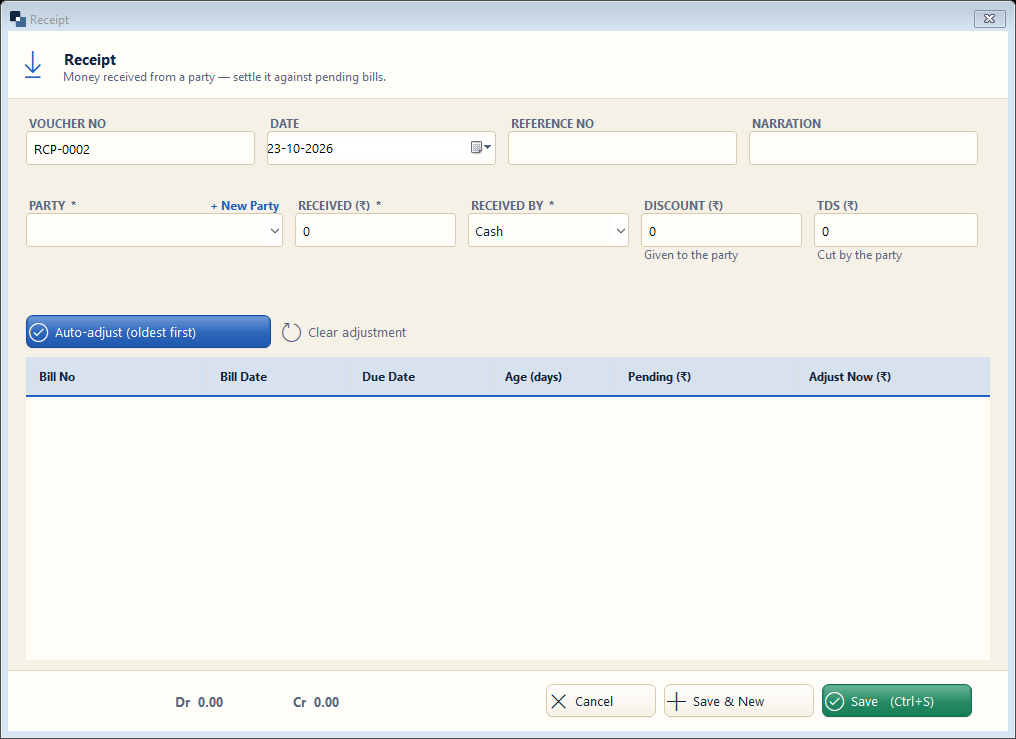
Accounts → Receipt (F6). Record money a customer pays later against credit bills.
👆 Click a number to see the field
1
Party *
What to enter: Choose the customer who paid.
Why: Their pending bills are listed below.
Example:
Gupta General Store2
Received *
What to enter: Amount received.
Why: Reduces what the customer owes.
Example:
1,0003
Received by *
What to enter: Cash, or the bank / UPI it came in.
Why: The money goes into that account.
Example:
SBI Current A/c4
Discount / TDS
What to enter: Discount given or TDS cut by the party.
Why: Settles the bill fully even if a little less was paid.
5
Auto-adjust (oldest first)
What to enter: Click to adjust the amount against the oldest bills.
Why: Keeps bill-wise dues correct.
6
Save
What to enter: Click Save (Ctrl+S).
Why: A receipt can be printed / sent on WhatsApp.