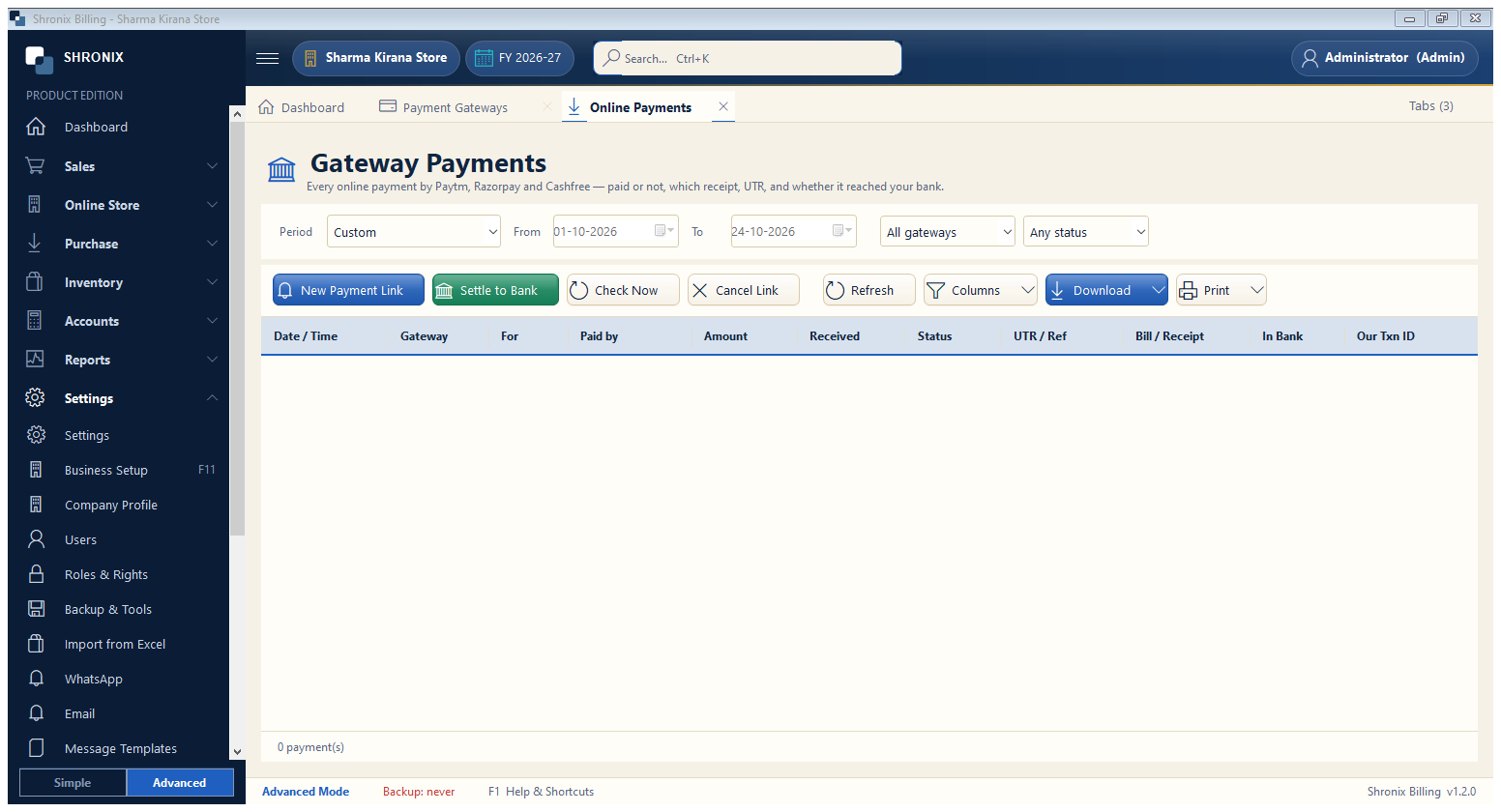
Settings → Payment Gateways → Online Payments. Every online payment is listed here: paid or waiting, which bill or receipt, UTR, and whether the money has reached your bank.
- On a bill choose the gateway as payment mode (e.g. Paytm) — a QR opens; the customer scans and pays; the bill is saved as paid by itself.
- For old dues use New Payment Link — the link can be sent on WhatsApp.
- When the gateway sends the money to your bank, select the payments and press Settle to Bank.
👆 Click a number to see the field
1
Filters
What to enter: Choose the period, the gateway and the status (Paid, Waiting, Expired…).
Why: Find any payment quickly.
Example:
This month · Paytm · Paid2
New Payment Link
What to enter: Make a payment link for a customer's dues.
Why: When they pay, the receipt is made by itself.
Example:
₹ 2,500 — Gupta General Store3
Settle to Bank
What to enter: Move paid money from the gateway ledger to your bank account (fees cut).
Why: Your bank book then matches the bank statement.
4
Check Now
What to enter: Ask the gateway again about payments that are still waiting.
Why: Useful if the internet was off when the customer paid.
5
Cancel Link
What to enter: Stop a link that is still waiting.
Why: The customer can no longer pay on it.