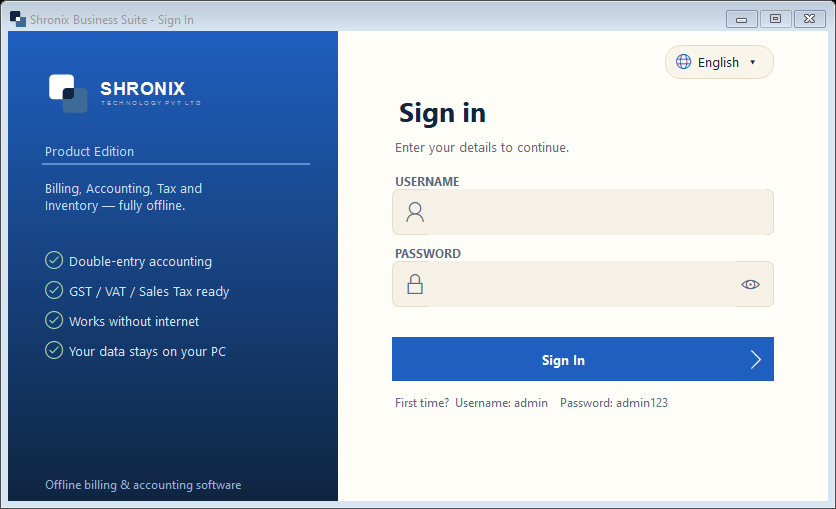
The software is protected by a username and password. The first sign-in uses the default Admin account.
👆 Click a number to see the field
1
Username
What to enter: Type admin.
Why: Default administrator account created at installation.
Example:
admin2
Password
What to enter: Type admin123. The eye icon shows what you typed.
Why: After this first sign-in the software asks you to set your own username and password — do it, so nobody else can open your books.
Example:
admin1233
Sign In
What to enter: Click Sign In (or press Enter).
Why: Opens the company list.
4
Language
What to enter: Change the language here any time before signing in.
Why: Useful when a staff member reads another language.